

community challenge write up ‘smarter desk’:
github-repo original intro post smarter-spaces-community-challenge-description
pretty edgeAI pilled since a while. was thus a pleasure to take part in the challenge!
am happy how the journey for a locally running desk helper has started.
the first milestone was to trigger screenshots through hand movements.
this is since i want to feed my (future) agents, right? but not only for them. whilst their ‘intelligence’ may further rise, at least my working memory wont. thus i saw this also as an experiment to test alternative options to steer the artifical workers. i hope to further build on top of it since besides the more classical CV application i am looking forward to other modalities as well for axelera systems.
first tests had been conducted during the holidays, right after receiving the package. the video of me testing the pose model i spare you.
since then quite a lot has happened. and whilst in the current version I am not this happy yet with the hand-keypoint-detection, it had been a great journey so far and the project seems overall on a good way!
after sprinting through the wonderful tutorial for the orange pi set up [1], i tested my first model deployment on the metis via ./inference.py with ease. switching to other tasks such as “pose” or “segmentation” was convenient as well. overall the SDK repo and docs seemed nicely organised and extensive enough to have an easy onboarding(:
after this smooth start i wrangled quite a lot with the orangepi though. still early in my embedded years i only knew the convenience of raspberries so far. worrying about missing OpenGL drivers was a new thing. bottomline was that i could not easily remotly screenshare via eg rust-desk or no-machina. as used to a workflow of ssh-CLI + remote desk, since lots on the road. after having sometimes hurtfully forgotten an important cable, last weekend i felt like almost having maxxed out the “metis on the run” game:
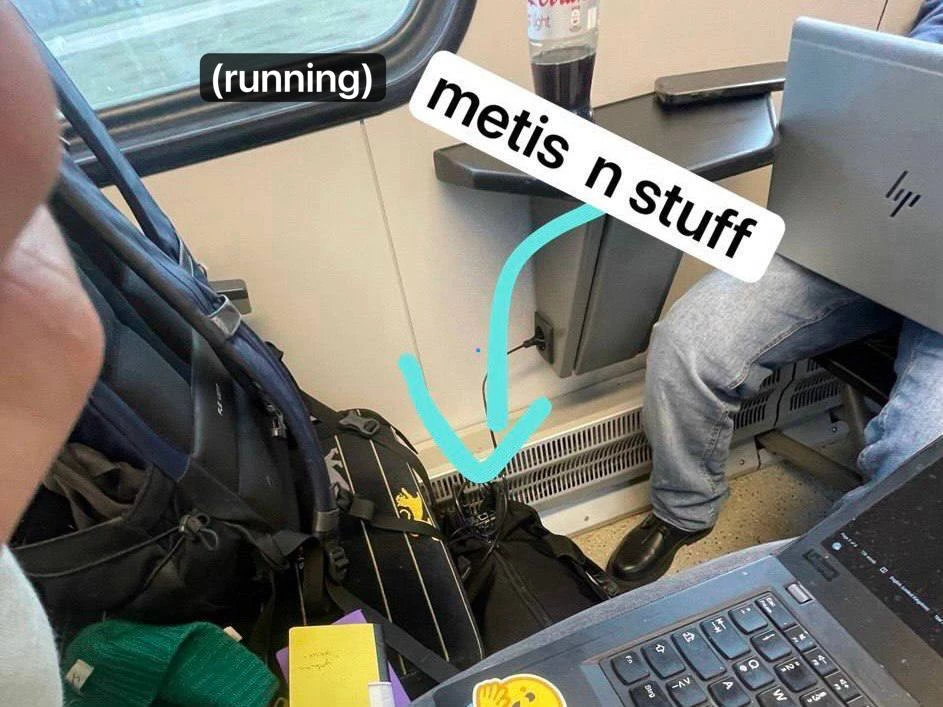
ps: even VNC did not circumvent the issues. since it points towards another display and eg the axelera app then as well; but maybe testing Joschua Rieks ubunutu [2] might help with that or tweaking the display export options.
pps: products i by now love (even more): hdmi-video-capture-card, clipboard, 5-usb-hub.
but besides touristing germany with my metis together (eg hamburg @ #CC39), there was also lots of testing and toying around. as mentioned quite new to everything embedded and till now only worked with computer vision on a single stream.
and since even with my first postprocess the hand-keypoint-detection was sadly way worse than expected (though this somehow also shows off all the still available optimisation potential(; ), it lead to testing as planned different options for multiple cameras or also a cascade pipeline.
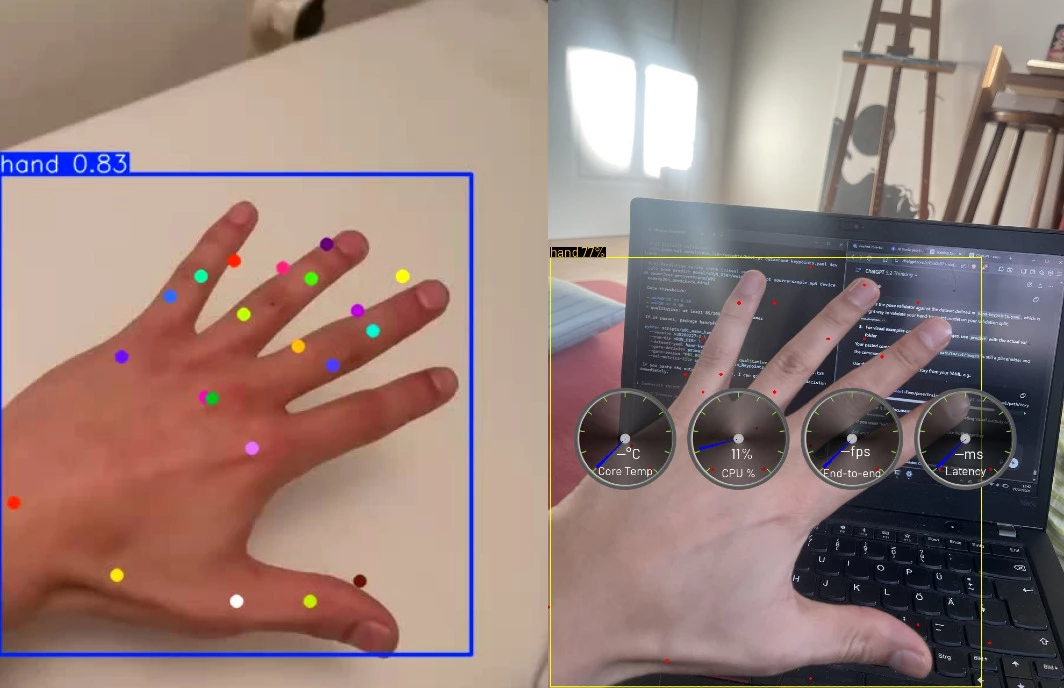
modelwise I had started with simply training a yolov8n-pose with the ultralytics hand keypoint dataset [3].
i also had tested the yolo26n-pose backbone, but the conversion to the appropriate axelera runtime format was not yet supported (but hey, this thankful collaboration was anyways only announced within the smarter space timehorizon [4]).
exporting the yolo26 myself from .onnx or .pt was also out of scope but still somehow interesting to dive into the (/my) limits when it comes to not yet fully supported SDK features for out-of shelve-functionality and overall pipeline-model support.
this wonderful pipeline support was there for an easy deployment of an cascade workflow. upstream to the keypoints i tested an hand-detector,, which i trained on the same dataset but with transformed labels. with very marginal effects for the keypoint quality.
the app integration into a small script for triggering screenshots (window/screen) and save them for future processing is managed by gnome, which made this step quite simple [5]. bc of the low precision with the hand skeleton, i went with setting just a trigger with a high hand detection score. just using my palm was a surprisingly robust trigger.
when wanting to improve my model pipeline i thought about focusing on a more ‘easy’ route or trying sth multicam. the former was about going for just 3 poses with a cascade of hand-detection + detector/segmentation-model. I went though deeper on the multicam approach.
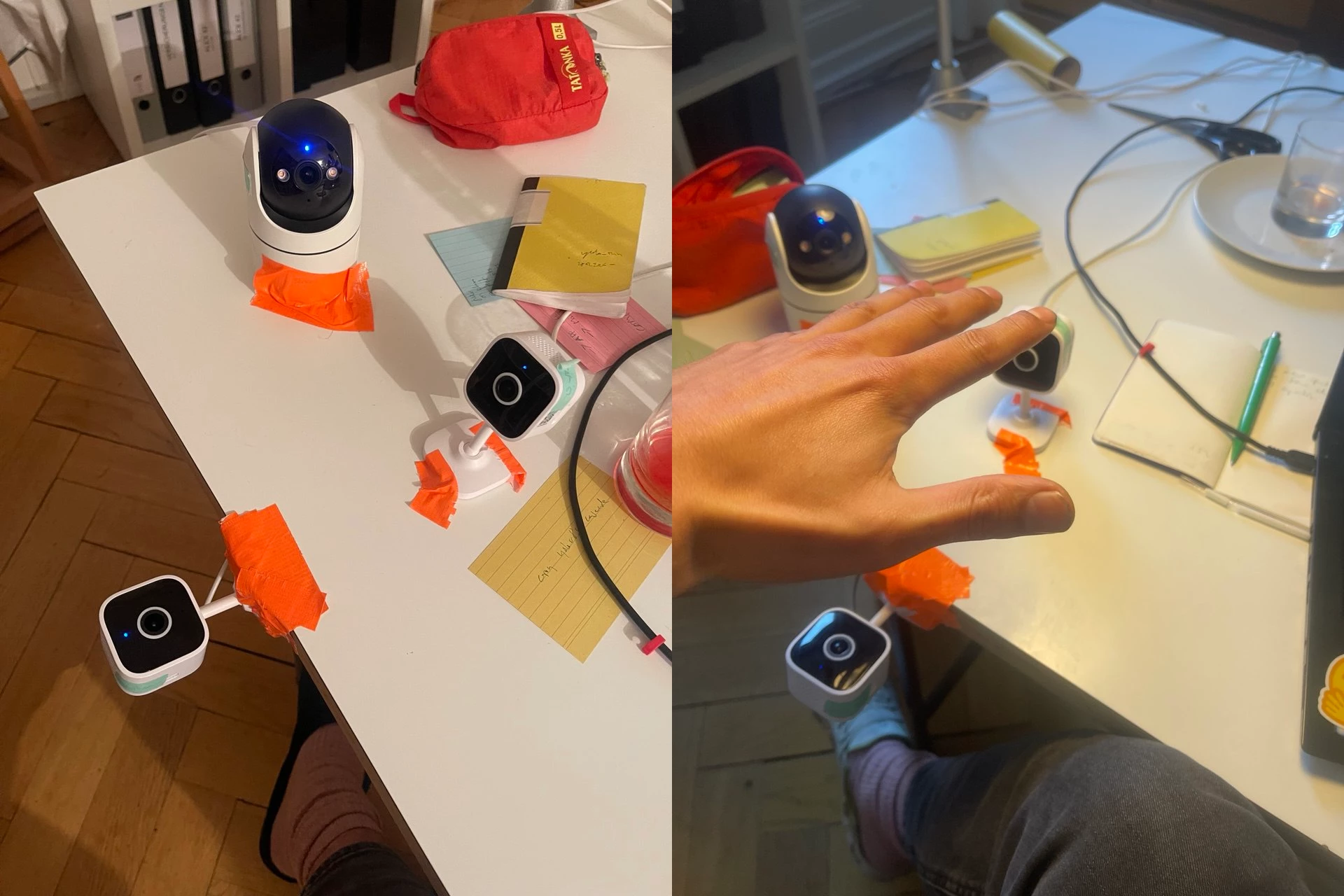
for this I even created LLM assisted 3 new datasets for each cam which build on top of the ultralytics one (general, frontal and beneath), but sadly i had problems with the finetuning since i had run out of credits (can still recommend lightningAI studios [6] and was also super happy to switch and test modal [7] after i had burned through the original compute). i had hoped (and will still test) that this would also open option to calibrate the keypoints and try to make the skeleton more robust.
was very much eye opening to me to try it myself and to see what other teams have accomplished in the domain (eg mediapipe). had been a really interesting playround.
what further fascinates me is how far one get in little time already. even as a side-project. not only because of the tools and technology but also due to the user friendly prepared SDK in this case i guess.
the multifunctionality is just another aspect. one i see only growing. especially when thinking about the new chip generation and how it will relatively strengthen the other modalities.
on a more hands-on level i am looking forward for the axelera support of OCR models to let them run over my screenshots. but if i correctly recall it i can lurk at one of the other community challenges(: looking forward to checking them out!
lastly, as my gut already told me in the beginning, i am still planning on exploring this area further. from the challenge and work on the little desk helper i already got my personal metis map. hope it will also entail a nice nugget for the community. lets see.
best and thanks a lot, especially to our wonderful host
carlo
---
carlo.fritz@posteo.de
@carlo_l_fritz
---
[0] github repo
https://github.com/carlofritz/202602_axelera_community-challenge_smarter-spaces_desk-helper
[1] voyager-sdk on orange pi
https://axeleraai.zendesk.com/auth/v2/login/signin?return_to=https%3A%2F%2Fsupport.axelera.ai%2Fhc%2Fen-us%2Farticles%2F27059519168146-Bring-up-Voyager-SDK-in-Orange-Pi-5-Plus
[2] alternative ubuntu for the orange pi
https://github.com/Joshua-Riek/ubuntu-rockchip
[3] ultralytics dataset hand-keypoints
https://docs.ultralytics.com/datasets/pose/hand-keypoints/#usage
[4] axelera x ultralytics
https://docs.ultralytics.com/integrations/axelera/
[5] GNOME docs
https://developer.gnome.org/documentation/introduction.html
[6] lightningAI
https://lightning.ai/
[7] modal
https://modal.com/
---
[a] github-repo
https://github.com/carlofritz/202602_axelera_community-challenge_smarter-spaces_desk-helper
[b] original community post to the project
https://github.com/carlofritz/202602_axelera_community-challenge_smarter-spaces_desk-helper
[c] community project description
https://community.axelera.ai/project-challenge-27/smarter-spaces-project-challenge-how-it-works-1118



