Question

Troubleshooting installation

  • Apr 29, 2025 6:29 PM UTC
  • 12 replies
  • 386 views

Hello my name is Kevin,


i am trying to work on a project that the m.2 is going to interfere with my cpu and later on maybe my gpu.

is there a way,


and another question whats the command to go on rtsp?


my system is:

AMD 9950X3D CPU

AMD 7900XTX GPU

48 gb DDR5 on 8200MHZ

Metis Axelera AI on an m.2 port.

 

12 replies

Spanner
Axelera Team
Forum|alt.badge.img+4
  • Axelera Team
  • Apr 30, 2025 9:13 AM UTC

Hi there ​@Drouen! Welcome on board!

I’m wondering based on your other replies, if you’re using Windows? Or a non-Linux operating system, anyway. What’s your OS, and its version?


  • Author
  • Cadet
  • Apr 30, 2025 10:58 AM UTC

Windows 11 i skipped WSL and have a side partition now with ubuntu 22. Everything installs no problems only thing is now. I got the m.2 on a blazing port but my pc cannot see the m.2. i am sure that the voltage is enough so, how can i install the driver correctly?


After tweaking a bit the blazing port does the trick!.

so for fokes out there having trouble that they do not see the lspci look at power input. for the metis m.2 the port to hyper m.2 is a no go, blazing port does the trick.


Spanner
Axelera Team
Forum|alt.badge.img+4
  • Axelera Team
  • Apr 30, 2025 11:40 AM UTC

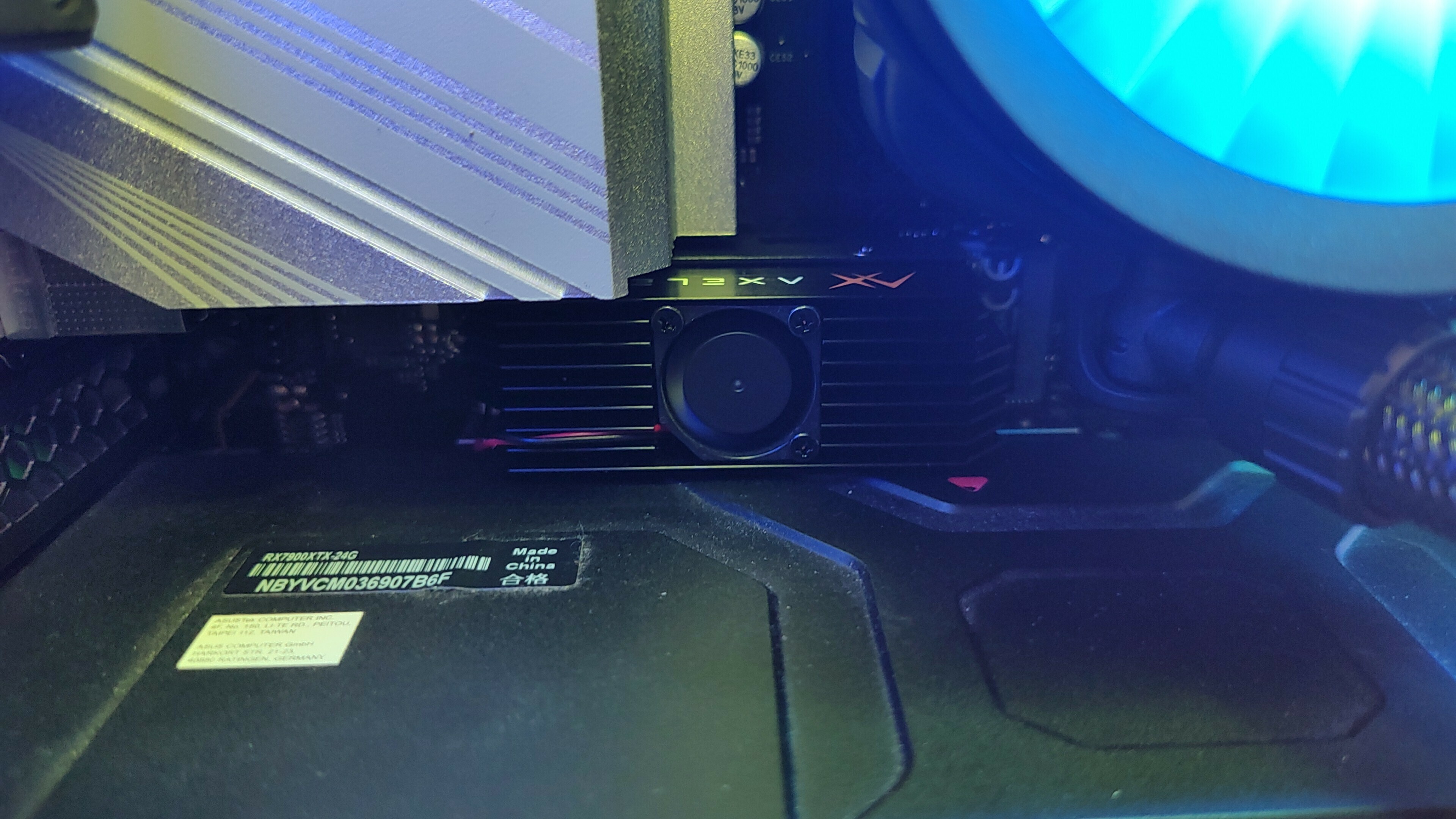
Ah, excellent work ​@Drouen! What kind of tweaks did the blazing port need, out of interest?


  • Author
  • Cadet
  • Apr 30, 2025 11:43 AM UTC


Spanner
Axelera Team
Forum|alt.badge.img+4
  • Axelera Team
  • Apr 30, 2025 11:56 AM UTC

Check out that sweet kit!

What project are you building with it?


  • Author
  • Cadet
  • Apr 30, 2025 12:09 PM UTC

I want to make it ‘captain of the ship’ so that it controls my gpu and cpu. Can that be done?


  • Author
  • Cadet
  • Apr 30, 2025 12:30 PM UTC

what am i missing in this command?

./inference.py rtsp://<user>:<password>@192.168.0.100:8554/1


his answer is:

usage: deploy.py [-h] [--build-root PATH] [--data-root PATH]
                 [--model MODEL | --models-only | --pipeline-only]
                 [--mode {QUANTIZE,QUANTIZE_DEBUG,QUANTCOMPILE,PREQUANTIZED}]
                 [--metis {auto,none,pcie,m2}]
                 [--pipe {gst,torch,torch-aipu}] [--export]
                 [--loglevel LEVEL] [--logfile PATH] [--logtimestamp]
                 [--brief-logging] [-q | -v]
                 [--enable-vaapi | --disable-vaapi | --auto-vaapi]
                 [--enable-opencl | --disable-opencl | --auto-opencl]
                 [--enable-opengl | --disable-opengl | --auto-opengl]
                 [--aipu-cores {1,2,3,4}]
                 [--num-cal-images NUM_CAL_IMAGES]
                 network
deploy.py: error: "Invalid network


  • Author
  • Cadet
  • Apr 30, 2025 12:31 PM UTC

i tried diffrent paths and also without


Spanner
Axelera Team
Forum|alt.badge.img+4
  • Axelera Team
  • Apr 30, 2025 12:40 PM UTC

Is it the syntax that's the problem? You've got the source (your RTSP feed) but not the model.


So along the lines of: 

./inference.py <network-name> <input-source>


  • Author
  • Cadet
  • Apr 30, 2025 1:05 PM UTC

Ok, can you give me an example, because there are loads of maps in voyager-sdk 😂.

For the record its a cctv so face recognition and the whole shabam can go over it, if you have the perfect model.


Best regards


Spanner
Axelera Team
Forum|alt.badge.img+4
  • Axelera Team
  • Apr 30, 2025 1:20 PM UTC

Ha ha! Yeah, there’s a lot going on and a lot of options!

Does this section help? It’s got some simple examples, with the models and the source (the latter being your RTSP feed): https://github.com/axelera-ai-hub/voyager-sdk/blob/release/v1.2.5/docs/tutorials/quick_start_guide.md#run-a-metis-accelerated-pipeline

(By the way, I like this project! It’s something I’d like to set up at home, as part of my automation system!)


Dr Data
Ensign
Forum|alt.badge.img
  • Ensign
  • May 1, 2025 5:03 PM UTC

After tweaking a bit the blazing port does the trick!.

so for fokes out there having trouble that they do not see the lspci look at power input. for the metis m.2 the port to hyper m.2 is a no go, blazing port does the trick.

Top tip!