Question

making operators fail - Metis Dev board with Arduino x8

  • February 26, 2026
  • 5 replies
  • 65 views

I have a Metis Dev System board with Arduino x8. I followed the getting started guide  On the step to make the operators:

make clobber-libs && make operators

it fails. It gives error is as on the image below (sorry for photo instead of text)
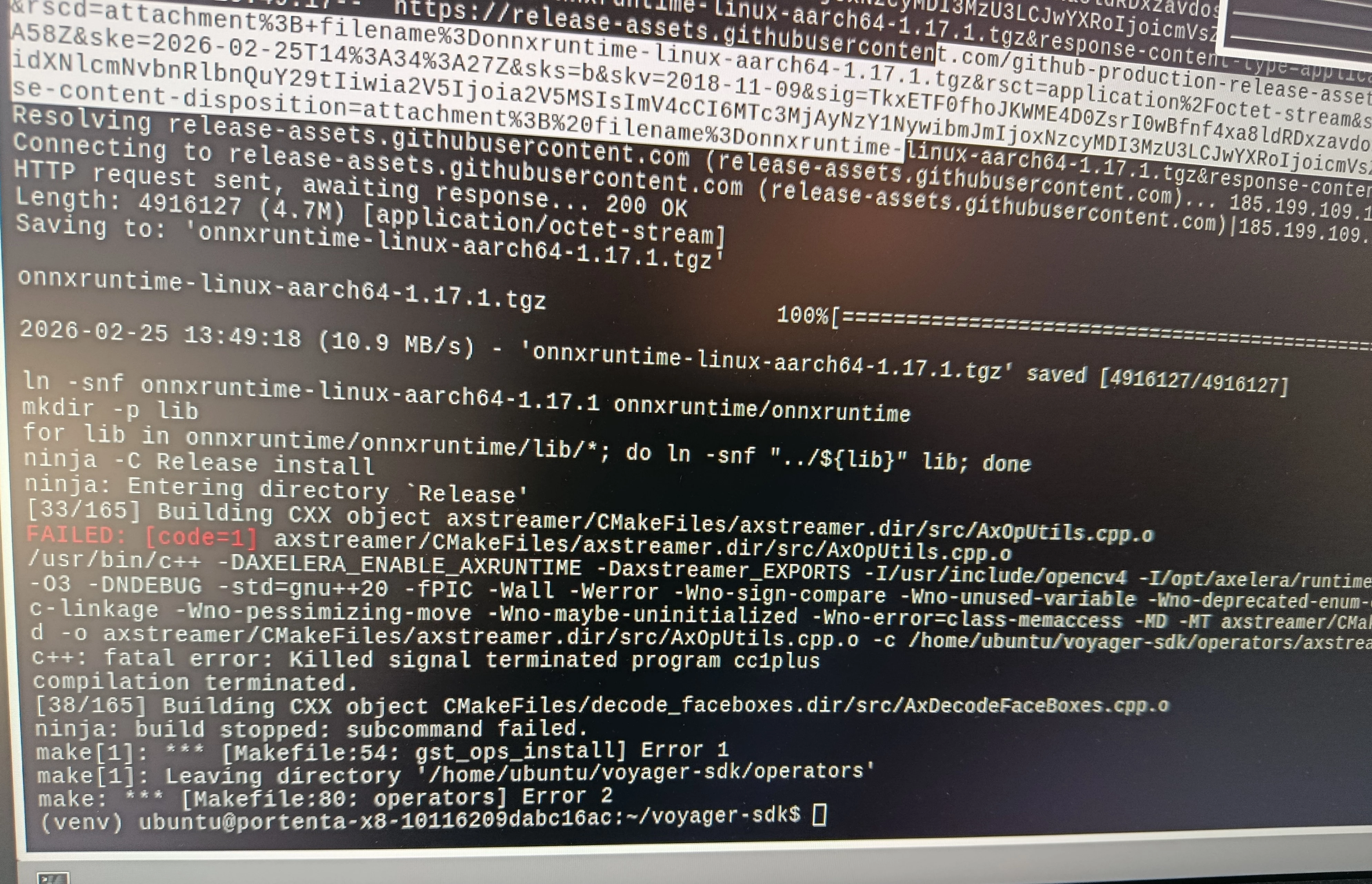
Any suggestions what is the root cause and how to fix it?


5 replies

Spanner
Axelera Team
Forum|alt.badge.img+3
  • Axelera Team
  • February 26, 2026

Hi ​@Dominik ! Great to see the Arduino device out there in the wild! What’s the project you’re working on, out of interest?

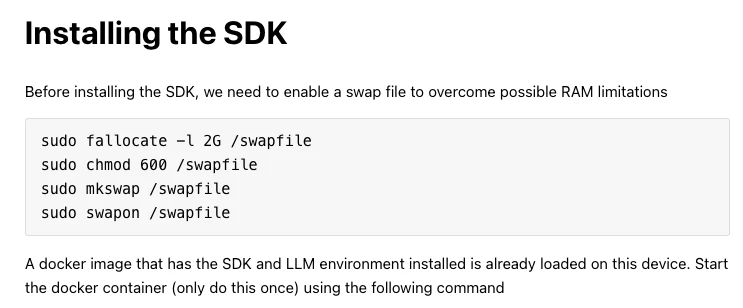
In terms of the error here, I wonder if it’s this bit about the swap file in the guide?

Do you know if that worked? Because this kinda looks like a RAM issue, I think...


  • Author
  • Cadet
  • February 27, 2026

Hi ​@Spanner 
Thanks for your suggestion, indeed it might be issue with swap file. It was created properly, however in the meantime I had to reboot the board and the swapfile was deactivated. I just started make again, lets see what will happen.

P.S.
Maybe it is worth to add in the instruction step to make the swapfile permanent, so it does not deactivate after reboot.


Spanner
Axelera Team
Forum|alt.badge.img+3
  • Axelera Team
  • February 27, 2026

Good call, yeah - that could be a useful step to add in the guide. Let me know how it goes!


  • Author
  • Cadet
  • March 2, 2026

After making sure that the swap file is activated I was able to make the operators successfully.


And I was able to run inference with one model from the zoo! 

When running the command:
./inference_llm.py llama-3-2-1b-1024-4core-static --prompt "Give me a joke"
The output is:

Just to confirm, the following line:
INFO    : Selected available device metis-0:1:0 with 16.0 GB memory
means that the model is running on AIPU not CPU?


Spanner
Axelera Team
Forum|alt.badge.img+3
  • Axelera Team
  • March 2, 2026

Excellent work, ​@Dominik !

Yeah, the metis-0:1:0 naming is the giveaway that it’s on the AIPU. The metis-X:Y:Z format is the device identifier for the Metis AIPU hardware itself. If it had fallen back to CPU, you'd see a CPU device selected instead, not a metis-X:Y:Z device. The fact it also reports 16GB of memory is consistent with the Metis hardware's onboard memory, not host CPU RAM. 👍

So, what’s your next task with this?